
How to add your business to Apple Maps: a clear guide for automotive stores
Learn the straightforward steps to add your automotive business to Apple Maps, keep listings accurate, and maximize visibility for drivers.

If you want drivers to find your shop on Apple Maps, start by claiming your business and verifying ownership. The guide walks you through the supported steps, from preparing your details to submitting them in Apple’s place index. You’ll learn practical checks to avoid common listing errors and how to keep your map listing up to date for automotive customers.
A clear map listing helps customers compare services, check hours, and plan routes to service bays or sales desks. This article translates those steps into automotive-friendly actions, with a focus on accuracy and quick wins that move traffic from search to your door.
Follow along with concrete tasks you can complete this week: gather your business name, address, phone, and service area; verify ownership; and configure categories that reflect auto service, parts, or dealership roles. By the end, you’ll have a solid, working Apple Maps listing that complements your Basildon-area presence.
- To add your business to Apple Maps, prepare core details, verify ownership, and configure accurate categories. Ensure information is consistent with your site and other directories.
- Describe your automotive services clearly to help drivers decide to visit, and include practical photos of service bays and lots.
- Use analytics and updates to keep hours, services, and photos current, and avoid duplicating listings across platforms for best results.
Basics of listing your business
Prepare your business details
Begin by collecting essential information: exact name, street address, city, and phone number. Ensure consistency across all public profiles to prevent confusion for map users. Include a brief description that highlights services relevant to drivers, such as scheduling a service or booking a test drive. add your business to the Basildon business directory. Basildon Times latest news is a good way to see local trends and then adjust your map listing accordingly.
- Mismatched name and address
- Missing service area or hours
- Using a generic description instead of automotive terms
Accurate contact details reduce misrouting and callbacks, while a precise address helps map routing algorithms. It’s worth noting that some shops use suite numbers or parking lots; include these only if they’re location-defining. Double-check spellings and abbreviations to avoid mismatches.
Be ready to describe service scope in 1–2 sentences, using automotive terms readers understand. This helps the Maps algorithm classify your business correctly and surface it for the right searches.
- Use a consistent phone format across listings
- Verify the street address with a map pin
- Add a concise automotive-focused description
- Choose primary category carefully
- Keep hours updated
Verify ownership and settings
Apple requires you to verify that you own the business, typically via a mailed code or other authentication. This step confirms you control the listing and can respond to reviews. Expect a short delay between request and verification.
After verification, review the business categories and attributes available. Select options that reflect auto repair, car sales, parts, or tire services as applicable. These choices directly influence where your listing appears on the map.
Finally, enable any useful features like messaging, photos, or service appointment links if available. These details improve engagement and credibility for drivers.
- Complete verification promptly
- Pick precise automotive categories
- Enable helpful attributes
- Add photos of the lot or service bays
How your listing appears to customers

Craft a clear business description
Write a short, specific description that highlights what makes your shop useful to drivers. Mention hours, services, and any quick-lane options for routine maintenance. A precise narrative helps map users decide where to go.
Avoid jargon, keep sentences concise, and use terms a typical motorist recognizes. If you offer pickup and drop-off, say so in plain language. This improves perceived value and click-throughs.
Review the text for spelling errors and consistency with your website. Inaccuracies can cause mistrust and lost visits when customers compare listings with real-world experiences.
- Highlight key services
- Mention accessibility or drive-in options
- Ensure consistency with site content
- Keep tone practical and clear
Add photos that help drivers
Upload photos that show your lot, service bays, and customer areas. Photos provide quick context, especially for first-time visitors. Use well-lit images that focus on safety and efficiency.
Include a few shots of the exterior, interior, and a mechanic at work to communicate capability. Avoid clutter and ensure each image has a clear subject. This helps users assess readiness before visiting.
Regularly refresh images to reflect seasonal changes, promotions, or new services. Updated visuals reinforce credibility and keep your listing relevant.
- Exterior storefront photo
- Interior bay or service area
- Customer reception or lounge
- Promotional or seasonal imagery
What to do next after listing
Monitor and improve visibility
Use available analytics to see how many users view your listing and what actions they take. This data helps you refine descriptions, hours, and photos to better match driver intent. Small tweaks can yield steady improvements over time. list your event in Basildon.
If you notice gaps—like missing hours on holidays—update promptly. Consistent reliability keeps your listing trustworthy and helpful for busy drivers.
Test different phrasing for your services to find what resonates with your local automotive audience. Small wording changes can shift how search queries surface your business.
- Track views and actions
- Update hours and holidays
- Experiment with service descriptors
| Option | Pros | Cons |
|---|---|---|
| Standard listing | Easy setup; basic visibility | Limited features without updates |
| Enhanced listing | More photos and attributes | Requires more maintenance |
| Directory sync | Broader exposure | Risk of mismatched data if not kept in sync |
Avoid common listing pitfalls
Do not duplicate listings for the same business across platforms; that confuses search results and hurts rank. If you operate multiple locations, create separate listings with distinct addresses and service areas.
Never misrepresent services or hours; accuracy earns trust and reduces customer frustration. When in doubt, keep details straightforward and verifiable.
Be mindful of user reviews and respond professionally. Positive responses can build goodwill, while timely replies address concerns and improve visibility.
- No duplicate listings
- Maintain accurate hours
- Respond to reviews
Use clear words like ‘auto repair shop’ or ‘tire service center’ to improve search relevance.
Optimization for nearby customers

Improve business details for maps
Begin with exact business name, address, and phone number as shown on official documents to prevent mismatches. Verify hours and service areas so local shoppers know when you’re open. Add a concise description that highlights key services for automotive customers, such as maintenance, repairs, or parts sales. post a job ad in Basildon.
- Claim your business on Apple Maps
- Verify the listing details and category
- Add photos showing the shop space and team
- Update hours for weekends or holidays
Next, claim the business on Apple Maps and keep it updated. Regularly check for misclassified categories or missing photos, then correct them. Use clear words like ‘auto repair shop’ or ‘tire service center’ to improve search relevance.
Finally, monitor customer interactions and respond to reviews to build trust with nearby drivers. A responsive listing signals reliability and helps convert searches into visits.
- Accurate address and hours
- Clear, service-oriented description
- Active monitoring and replies
Integrations and tools for auto shops
Syncing with business tools
Link your Apple Maps listing to your existing business tools, like scheduling software or a customer relationship manager, to streamline callbacks and bookings. This helps service bays fill efficiently and reduces phone traffic. Ensure data flows smoothly so customers see accurate availability. online obituaries in Basildon
Use the Maps profile to drive offline actions, such as directing customers to your shop or booking a service from a simple map search. Consistency across platforms lowers friction for first-time visitors. Review integration settings quarterly to keep data fresh.
Keep an eye on inventory-related updates if you sell parts via the shop. A connected system can surface real-time stock information to customers searching for specific items or services.
Mobile experience and speed
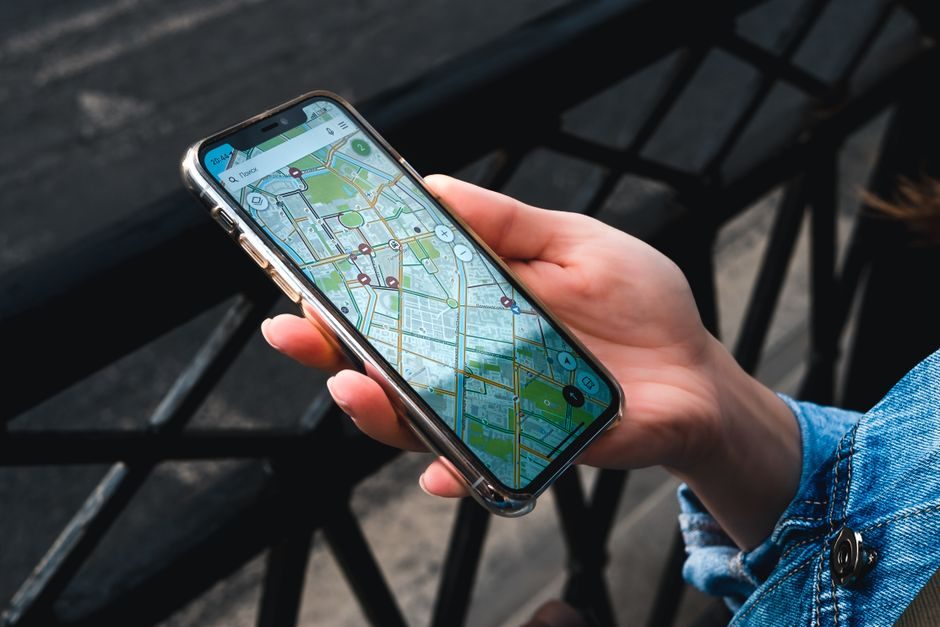
Fast and clear mobile listing
Most auto shop searches begin on a phone, so the listing must load quickly and present essential details upfront. Put the most important information in the first screen: category, services, hours, and a phone button. Mobile-friendly images should load without blocking text.
Keep photos under a few megabytes and properly sized for phones; large files slow the page and deter customers. Use a clean layout that avoids clutter and unnecessary blocks. Test the listing on multiple devices to ensure readability.
Encourage customers to call or tap directions with prominent, tappable buttons. A smooth mobile experience reduces friction and increases the chance a local driver chooses your shop over a competitor.
- Fast loading images
- Clear primary details
- Prominent action buttons
Maintaining long-term accuracy
Ongoing updates and audits
Set a routine to review your Apple Maps listing every quarter or after any major change in hours, services, or staff. Small edits keep the listing accurate and trustworthy. Inaccuracies deter potential customers who rely on current information.
Create a simple process for team members to report changes, such as new hours or a relocation, so updates happen quickly. Documenting changes reduces confusion and ensures accountability.
Keep photos fresh by replacing outdated shots with recent interiors or service bays. Fresh visuals reflect a vibrant business and reassure customers that you’re active.
- Regular audits
- Easy change workflow
- Fresh visuals
Frequently asked questions
Do I need a separate Apple ID to manage my Maps listing?No. You typically use the business account you already manage, or an associated Apple ID, to claim and edit your listing. This keeps changes centralized and auditable for the shop team.
How do I verify my business on Maps?Verification often involves confirming a mailing address or a short phone call to ensure the listing corresponds to a real location. Once verified, you can edit details and add photos.
Can customers book services through the Maps listing?Yes, if you link booking or scheduling tools, customers can initiate a booking from the listing. Make sure the booking channel remains reliable and up-to-date.
What should I do if my listing is incorrect after a visit?Edit the listing to reflect the correct hours or address. If the change is urgent, contact Maps support or the platform’s business tools to speed the update.
What to do next for stronger local visibility
With your Apple Maps presence in place, your shop becomes easier to find for drivers within reach. Regular updates and fresh media reinforce trust and encourage in-person visits.
Next, keep testing different photos and service highlights to see what resonates with your local audience and leads to more bookings or inquiries.
Add Motorsport News as a preferred source on Google

